Tag: Growth opportunity

  • When AI keeps track of the feedback you meant to read

    When AI keeps track of the feedback you meant to read

    Field of sunflowers with the article title overlay “When AI keeps track of the feedback you meant to read”

    As designers, we get ideas in unexpected moments. Sometimes during a UI audit. Other times, in the middle of a user interview that’s technically about something else. Ideas come from tension, from edge cases, from curiosity, and often from the quiet voice of a user trying to work around our designs.

    Over time, I’ve learned that some of the most impactful product ideas don’t emerge from ideation sessions or workshops. They come from user feedback. The kind you might find buried deep in an open-text field or within a support ticket. The kind you keep meaning to read but never quite get around to.

    Now imagine this at scale.


    The problem with too much feedback

    If you’re working in a large organisation, chances are your product has a feedback loop built into it. Maybe users can rate an experience, leave a comment, or submit suggestions. Maybe your customer service team logs patterns they’re noticing. Before long, your feedback cloud becomes massive. What started as valuable insight becomes noise.

    When there are thousands of entries coming in every week, it’s no longer practical to read them all. Even if you do, you’re likely to miss the connections between them. Pain points go unnoticed. Requests pile up. Good ideas get lost.

    So the real question becomes: how do we keep track of feedback in a way that still feels personal, useful, and clear?


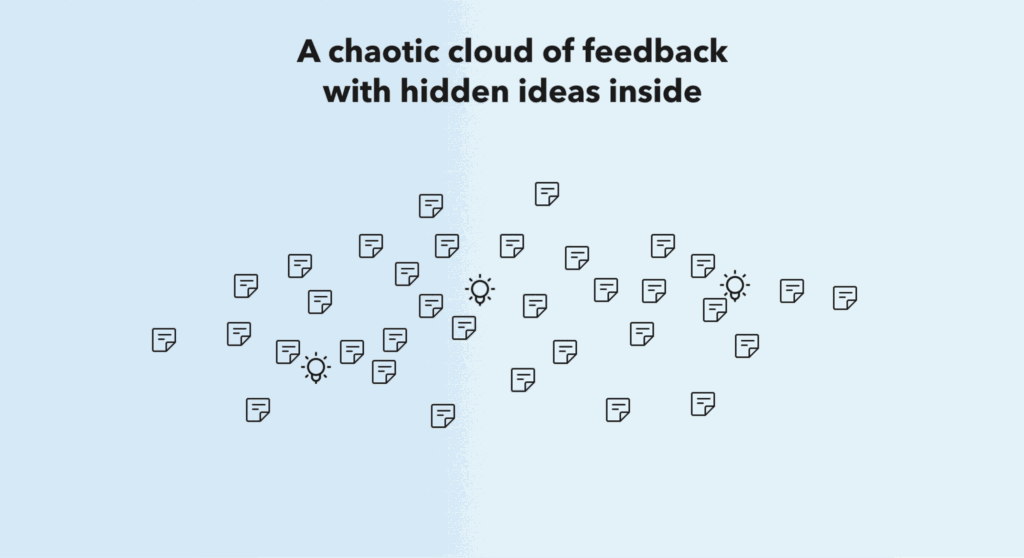
    Illustration showing a chaotic cloud of feedback icons with a few lightbulbs representing hidden ideas

    What if AI helped you do the listening?

    This is where AI becomes a practical design partner. Not to replace your thinking, but to amplify your attention.

    Imagine feeding your feedback cloud into an AI tool that can:

    • Cluster comments by recurring themes or pain points
    • Detect sentiment shifts over time
    • Highlight anomalies that might signal a growing issue
    • Suggest which teams should be alerted to specific types of feedback

    Instead of skimming hundreds of unrelated quotes, you’re now working with a map of actionable insights. You can zoom in on what’s relevant, sort ideas by opportunity size, or explore user concerns that your current metrics don’t reveal.


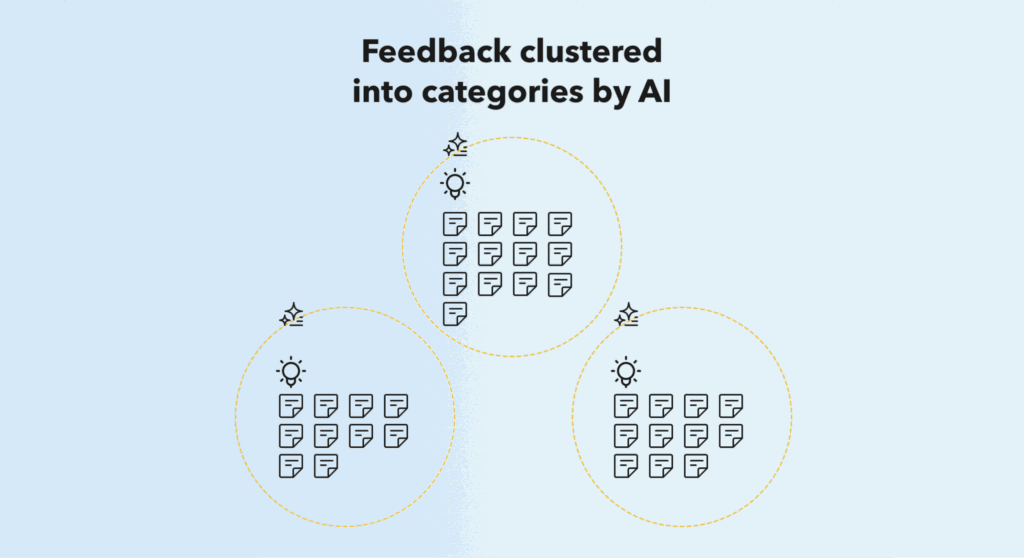
    Graphic showing AI categorising user feedback into three clusters

    The impact on design decisions

    For designers, this means your ideas are no longer bound by the scope of your current project. You can start pitching improvements tied to real data. You can spot experience gaps before they grow into frustrations. You can even validate if that little usability fix you’ve been advocating for has a broader pattern behind it.

    And instead of trying to convince your team that an issue matters, you can point to actual user sentiment grouped and surfaced by AI.

    It also reduces reliance on repetitive A/B testing when AI can personalise content based on user profiles and interaction patterns. That means fewer manual experiments and more contextual decisions that adapt to the user.


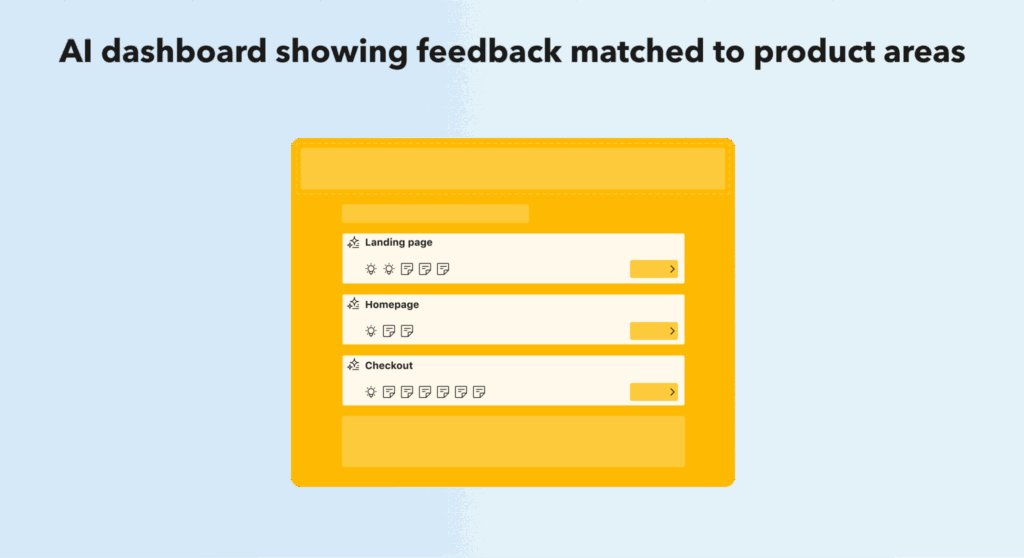
    Mock interface of a dashboard showing feedback linked to landing page, homepage, and checkout

    A more attentive design culture

    AI won’t replace the empathy or intuition that UX brings to a project. But it can help us show up more consistently for our users. It ensures their feedback isn’t just stored. It’s seen. It also allows designers to reclaim time and focus on where we’re needed most: solving real problems with clarity, creativity, and care.

    The future of feedback is not more surveys or longer reports. It’s smarter systems that help us listen better, act faster, and deliver with purpose.


    Final takeaway

    We often talk about empathy as the foundation of good design. But empathy is only possible when we hear what users are telling us. If AI can help us listen more closely, it becomes a tool not of replacement, but of refinement.

  • Designing with AI: Contextual experiences without the complexity

    Designing with AI: Contextual experiences without the complexity

    Over the past year, the conversation around AI in digital products has rapidly shifted from distant potential to present-day experimentation. As a UX designer, I’ve been reflecting on where AI has the most meaningful impact—not just in novelty features, but in improving user flow, simplifying decision-making, and reducing operational inefficiencies.

    Recently, I attended a presentation that explored ways AI could be embedded into customer- and partner-facing experiences. While the projects shared are still in development, they offered a thought-provoking glimpse into how AI can enhance the trip journey from both ends: for the traveller seeking relevance and for the accommodation partner seeking clarity.

    This article offers a designer’s perspective on how AI might soon be leveraged to reduce friction, personalise content, and help teams shift away from rigid A/B testing towards scalable, contextual solutions.


    Surfacing the right Information, at the right time

    Travellers often face a common challenge: too much information, not enough clarity. Whether it’s navigating long property descriptions, scrolling through hundreds of reviews, or trying to understand vague amenity listings, the process can feel more like work than discovery.

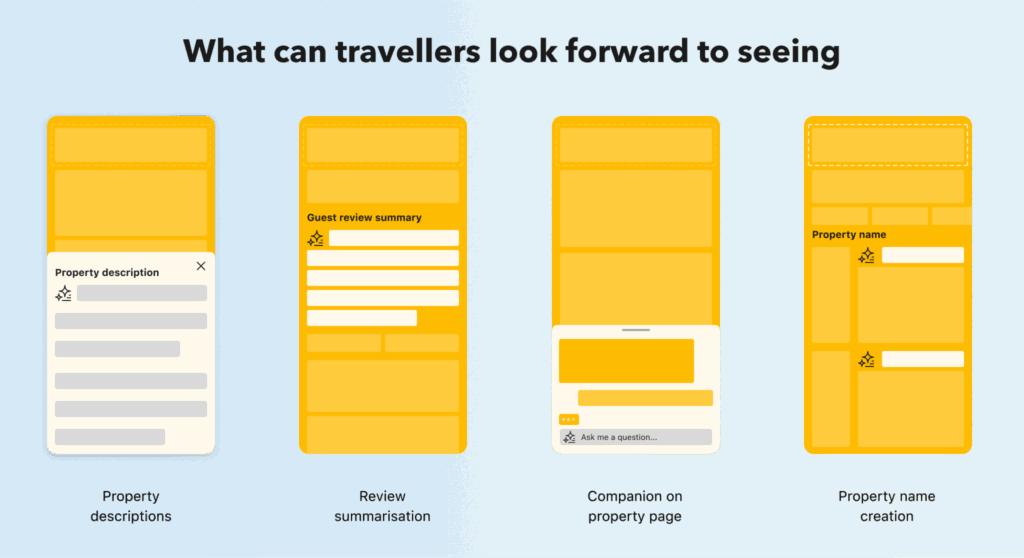
    AI offers an opportunity to reshape this experience entirely. Instead of relying on static text blocks, property content could be dynamically summarised based on a traveller’s context or previous interactions. For instance, if someone previously filtered by “quiet neighbourhoods,” AI could prioritise reviews or highlights that confirm soundproof rooms or peaceful surroundings.

    This allows for better alignment between user interest and property presentation without the need to manage dozens of content variations manually.


    Helping accommodation partners find answers faster

    On the partner side, many accommodation owners and managers rely on support teams or static documentation to find answers about platform setup, policy changes, or technical requirements. These materials can be extensive and detailed, but not always easy to search or interpret under time pressure.

    Imagine a scenario where an AI-powered assistant could guide partners through setup, flag missing actions, and proactively suggest improvements. Rather than scrolling through help articles or waiting on support tickets, partners could ask natural-language questions and receive tailored, accurate responses. For example:

    • “How do I activate calendar syncing for my second property?”
    • “Why is my exclusive discount not showing to travellers?”

    This not only improves partner efficiency but also reduces dependency on human support teams, particularly during high-traffic seasons.


    Designing for personalisation without manual overhead

    From a UX perspective, AI provides an elegant workaround to a long-standing problem: how do we serve different users with different needs, without bloating the interface or multiplying variations?

    Traditionally, this meant running segmented A/B tests, launching new feature flags, or creating dedicated content versions. But AI allows for on-the-fly contextualisation, presenting the most relevant content to each user without fragmenting the experience. This could mean:

    • Dynamic property highlights based on user behaviour
    • Personalised checkout nudges for hesitant bookers
    • Tailored recommendations during the discovery phase, without forcing users to filter endlessly

    It’s not about replacing the role of the designer, but about designing smarter entry points and feedback loops that work in partnership with AI.


    New design responsibilities emerging

    If AI is responsible for creating micro-content, serving recommendations, or answering help queries, our role as designers begins to evolve. We may find ourselves:

    • Designing prompt structures and AI inputs
    • Curating tone-of-voice guardrails for machine-generated responses
    • Ensuring feedback loops that allow users to flag irrelevant or unhelpful answers
    • Mapping which touchpoints are better handled by AI, and which still require human nuance

    These responsibilities align more with system thinking than static interface creation, and will likely grow in importance as platforms scale their AI usage.


    A future of one-to-one experiences

    The long-term opportunity with AI is not just efficiency, but experience. When implemented thoughtfully, AI can enable unique, context-aware interactions for every user, making digital products feel less like mass-market tools and more like personalised assistants.

    We’re not there yet. But for designers, it’s the right time to start asking:

    • Where are users overloaded with content or options?
    • Where are support teams answering the same questions repeatedly?
    • Where can AI improve clarity, not just speed?

    By focusing on use cases grounded in real behaviour and friction points, we can begin shaping AI features that meaningfully support both sides of the booking experience.

  • How AI helped me empower a client through data and design

    How AI helped me empower a client through data and design

    Recently, I collaborated with a client to help them optimise their online strategy — supporting them in understanding how their data could be used to improve planning, content effectiveness, and ultimately complete more online purchases. Helping clients improve their online presence is rarely just about design; it’s about enabling them to understand their users, their data, and their brand identity.

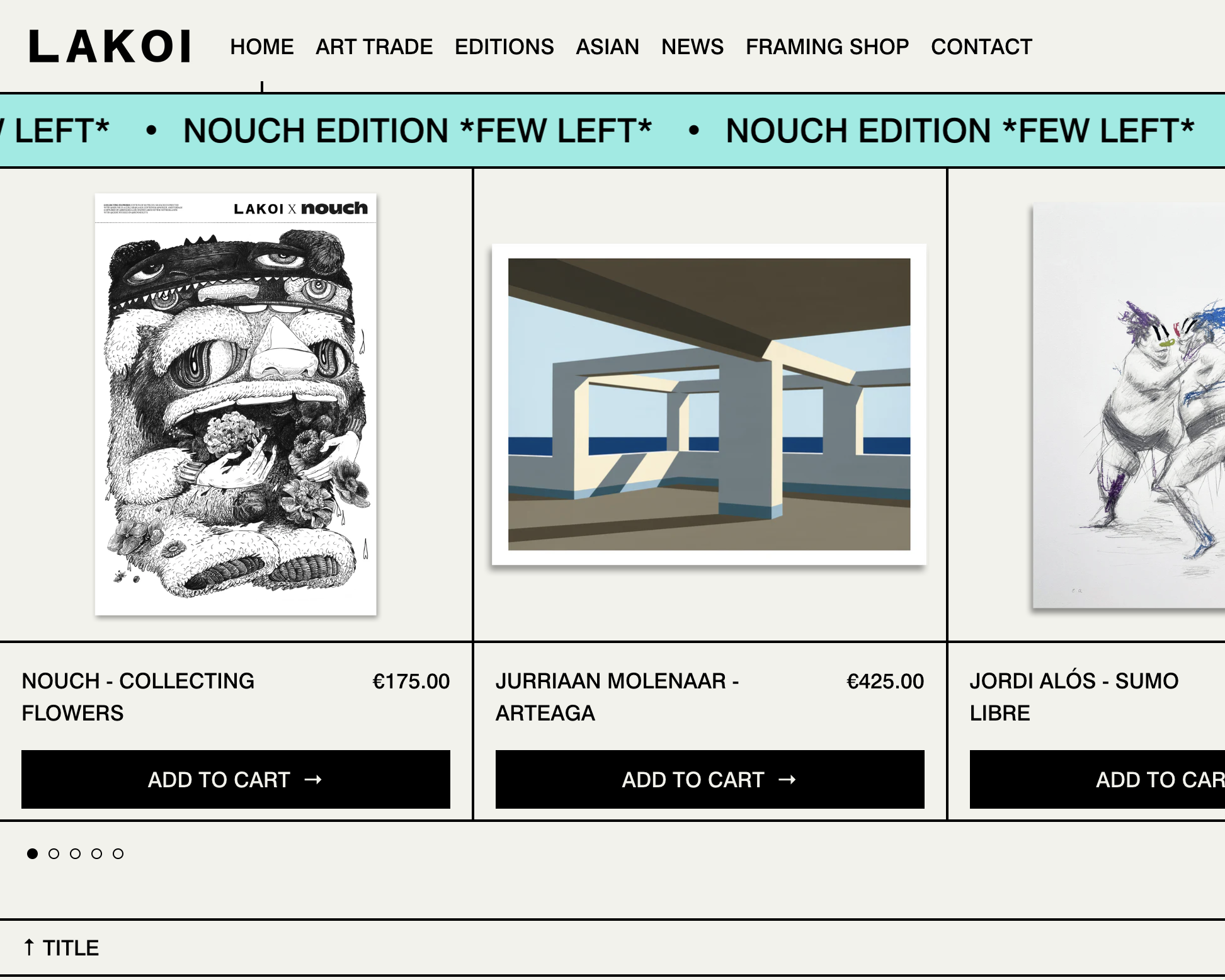
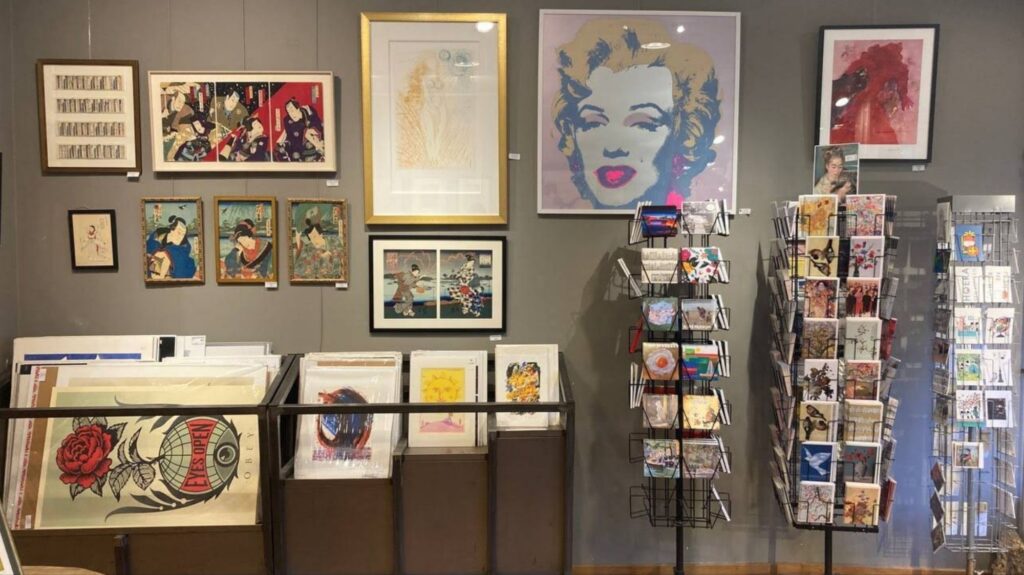
    The client, Lakoi, is a framing shop and art gallery based in the Netherlands, with a rich clientele of returning customers in-store. However, they had maintained an online presence for a few years through their Shopify website (www.lakoi.nl) and platforms like Instagram, Facebook, and monthly newsletters, yet with little return on investment (ROI) online. I wanted to help them understand how they could grow their digital business using AI tools — enabling an insight-driven, efficient collaboration without the need for a full technical team.


    Understanding the Challenges

    Lakoi struggled to make sense of their analytics; they didn’t know which metrics truly mattered or how their site’s layout was affecting conversions across desktop and mobile. Their branding also felt somewhat scattered, and their content lacked clarity in what it was trying to achieve. Without an in-house analyst or developer, they needed support across strategy, UX, and technical know-how to refine their messaging and digital structure.

    Their newsletters were engaging but lacked a logical strategy to drive readers towards making a purchase. While the website generated small business-level traffic, the abundance of content often distracted users, confusing their journey and leading to drop-offs before completing purchases. Visually, the site felt busy, and lacked a coherent user flow that would naturally guide customers towards transactions.


    How I Tackled It

    I began by exploring the Shopify analytics dashboard, which provides accessible yet powerful data points for small businesses. I reviewed three months’ worth of data (quarterly results), focusing on:

    • Identifying the best-performing months across seasons
    • Understanding the most used devices (desktop vs mobile)
    • Analysing user traffic sources
    • Highlighting the most visited pages and most common search terms
    • Tracking add-to-cart behaviours by visitor location
    • Identifying dead links and 404 errors impacting user experience

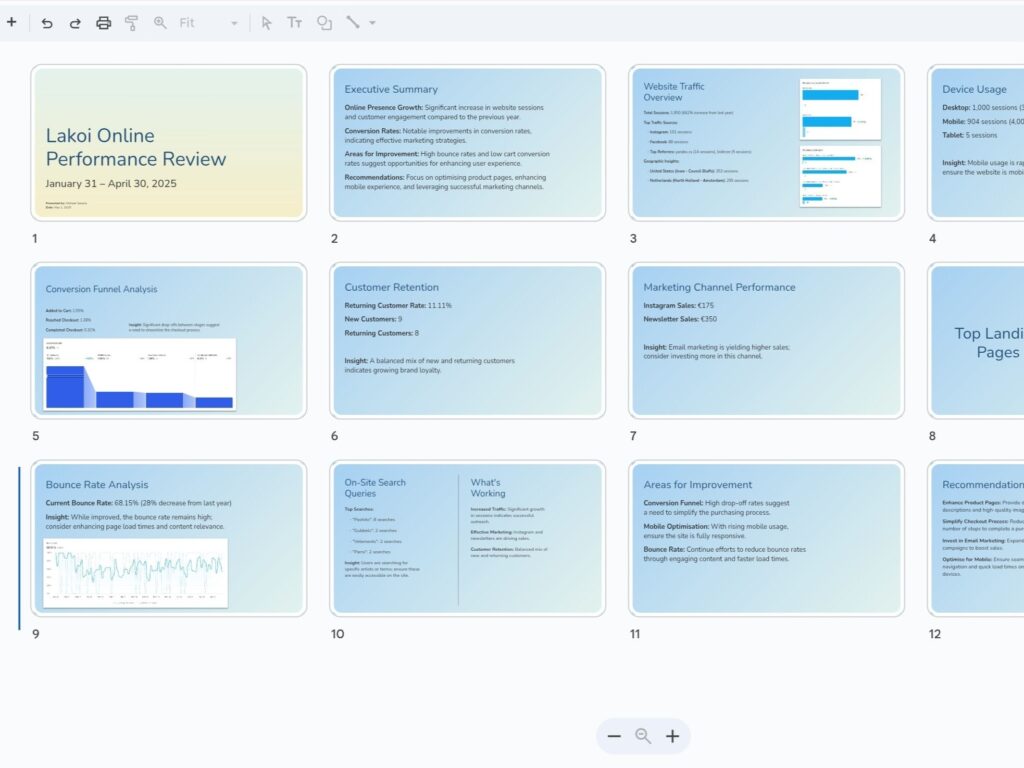
    All these were crucial indicators of their site’s performance. I compiled the findings and used ChatGPT to help translate the technical results into a clear, plain-language Google Slides presentation, making the insights easily digestible. By connecting related data points into a meaningful narrative, I helped Lakoi clearly see who their customers were and how they were engaging with their online content.


    Improving the UX and Content Strategy

    Once the analytics review was complete, we sat down to discuss the site’s UX and layout. Data revealed that their customers were evenly split between desktop and mobile usage, meaning both experiences needed to be equally optimised.

    We focused on improving:

    • The header and footer, to make key content easier and faster to find
    • Removing redundant links positioned too closely together
    • Refining UX writing to reduce confusion and improve link clarity
    • Closing the loop between marketing content and purchases — ensuring Instagram posts, newsletters, and blog articles linked directly to products whenever possible

    Through AI support, I also advised on improving their tone and visual consistency. Using ChatGPT, I shared techniques for crafting more enticing closing paragraphs that encouraged users to move naturally towards product pages. This was particularly valuable as the client initially lacked experience in closing a sales pitch within their content.

    Additionally, ChatGPT helped Lakoi improve their translations between Dutch and English, offering more authentic, contextually accurate phrasing than simple direct translations from Google Translate.


    The Role of AI in Enhancing My Workflow

    The impact of using AI within my workflow was irreplaceable. It allowed me to optimise my time effectively and maintain productivity without delays that would typically occur without immediate access to developers or analysts.

    I wanted to work smarter — not harder — to deliver insights quickly so the client could act fast on improvements. AI filled critical knowledge gaps without undermining my UX expertise; rather, it amplified how clearly and efficiently I could explain and implement solutions.

    Whether navigating Shopify settings, interpreting analytics, or making front-end code adjustments, ChatGPT enabled me to maintain momentum, make informed decisions in real-time, and deliver immediate, tangible value. Particularly when adjusting UI components and page layouts, AI provided the technical reassurance needed to execute changes successfully, without waiting for additional technical support.


    Results and Reflections

    The Lakoi team was thrilled. They not only gained a clearer vision for how their site could better function, but they also felt significantly more confident in managing and growing their online business moving forward.

    For me, this project reaffirmed that AI can be a powerful design ally — one that unlocks knowledge and speed when it matters most. Small businesses don’t always require full-scale teams to achieve meaningful progress. What they truly need is guidance, clear strategy, and the right tools to help them succeed cost-effectively.

    For designers working solo or without large teams, AI tools like ChatGPT offer a new way to stay resourceful. The key is knowing how to ask the right questions and pairing AI’s insights with your own design intuition.


    Curious how you can use AI in your work? Reach out to me over on LinkedIn.

  • The art of persuasion and influencing

    The art of persuasion and influencing

    As designers, we excel at expressing thoughts and emotions visually. However, when it comes to verbal communication, it can feel like navigating a minefield of nerves and disappointment. How do we master the skill of conveying our ideas effectively to colleagues and leadership, especially when facing key stakeholders?

    Interviewing colleagues from different job roles within Booking.com allowed me to learn how they’ve pitched ideas in the past or what key areas they’ve always found useful to know when ideas are pitched to them.

    Let’s start with the basics

    Let’s face it: pitching our own ideas can be daunting, especially if confidence isn’t our strong suit. So why not practice hone our skills by presenting ideas from leadership to our team for buy-in as a starting point?

    “A good designer is a problem solver and a storyteller”

    This is a key requirement in being a good presenter. Often, we need to illustrate an idea in a way for others to easily understand what the project is about and why they should care about it. It requires us to start by doing a lot of research on the subject, becoming an expert at it before trying to explain it to others. Don’t be afraid to ask questions from the project owners: Why are we doing this? What evidence do we have? Why is it needed for the business? It’s okay to look silly sometimes with your questions if it leads to better understanding the subject instead of blindly following vague directions and trying to convince others to support the project.

    Because it comes from leadership like a micro-funnel method, which would be very important because you’d have support from them with the idea already. You’d have an opportunity to practice rallying the rest of your team to understand the issue and get buy-in from them. If you rally the rest of the team with you, they will feel like they are being included in the process and discussion to make it their own goals and projects as well. So you’ll have to collect the research shared with you and present it in a way for them to understand it better. This will allow you to learn which methods work best for others to understand your thoughts and ideas.

    Challenging leadership’s ideas

    Start by getting involved from the beginning, read up on the project in detail, review all available research, data, and resources shared with you, highlight all useful information found, and always look at it from different perspectives/personas. By familiarising yourself on the subject as best as you can, you should be able to highlight with ease new opportunities that leadership might not have considered and change their path in how to tackle the project.

    Now that you’ve collected all your findings, map it out in whatever software/tool you feel most comfortable with. Just map out the concept to help you clear your mind and show others what you are thinking, what your analysis process was, and why you might be suggesting a different approach to their project. But make sure to be clear of what your pitch is, being that it’s a concept, and not a vision or solution. Keep it still an abstract idea (a general notion). But always remember to back your arguments with facts and numbers because without them, your storytelling will always be challenged by others. But stay fair and never explain your arguments in a critical way.

    In your concept mapping:

    • List what they want to do as a business.
    • Share the overview of how you might change the flow, if done so.
    • Write down your main concept pitch.
    • Share the actual problem that they are overlooking.
    • Share the research to support what the problem is.
    • Share a journey map according to what that could implicate if improved by your concept.
    • Basically, focus on telling a story of what is in your mind versus showing solutions and mockups. Let them process the information and not get distracted by visual endresults.

    Pay attention to their common responses and behaviors. If they don’t usually listen to the qualitative or quantitative data findings and just go with what they want to build, then don’t try to push for their buy-in yet. Try to discuss with other colleagues about your idea and try to build a group support method if more and more people believe this could be a better solution when returning to approach leadership.

    Note: If the project, vision plan, or report were created in a Google slide, leave some questions on the key slides that concern you. The company environment should always encourage people to ask questions.

    Pitching your ideas

    Now, if you’ve got some experience and a bit more confidence in pitching other people’s ideas in your team. At this point, know your colleagues who have to buy-in on your ideas, if you know they are very numbers, analytic data, or experiment tooling driven. Work with that, since they base a lot of their decisions on those methods. Even though there isn’t any one fixed method of sharing your findings, you can always use Google slide presentation or a one-pager Google doc. Your goal isn’t to have a final polished presentation with concrete insights. Start by just writing a business case (or audit), depending on what phase of the project you are in. For example, if you are just starting from scratch and there isn’t an actual business case created, then start writing it before even thinking of designing/building anything.

    • Write down the subject.
    • What are the answers we want to get while developing the strategy?
    • How is it linked to the company and department priorities?
    • What is the expected outcome?
    • What is the expected investment level? (spend and full time employee needs by craft)

    Don’t go any further than this until you get official buy-in, make sure you’ve put your facts and numbers very clearly from research in your business case document. Same for why this would be important with support from your qualitative and quantitative findings if available. A nice-to-have if you feel comfortable with is to include what the first step looks like in what we would need to move forward. Like an audit might need to be done and see what more findings could come out of it.

    “It’s okay if you historically have never been strong at standing up, or advocating for yourself, saying what you think or are feeling about certain projects or things. That personal challenge just requires time and practice to grow.”

    Try to not use “I” sentences within your arguments because that creates a biased opinion within the discussion. Think like a designer and structure your sentences around “What do we know about these users? What are they trying to do here?” Try more in speaking the user’s language if it is about a user’s problem.

    We need to make others understand that just because we are within a certain craft role, that it doesn’t mean we cannot contribute to business ideas. So do not feel defeated if your attempts don’t always succeed at first. If we want to continue growing in our career, we need to learn to master our craft and product management altogether. This additional skill set will allow the individual to really understand the deeper problem we are trying to resolve and the impact that the problem will have on the business.

    One method in learning is to ask for teachings from other project managers that you look up to and ask them to tell you what are the key facts that matter to them when an idea is being pitched to them. But don’t just respond that numbers and data are what drives pitches, but also explain how to use those numbers and data in a pitch. Doing this will help you understand what they want because at the end they are the face of the business.

    Knowing when to stop pushing

    One path that you could be doing next is to scale it up, if you still believe that a business issue is being overlooked by the project solution. Reach out to the next potential level, above your current point of contact. But always keep communication professional and polite, be transparent and include them in the conversation to discuss higher level roles. You just want to hear someone’s specific opinion on the matter to see if all potential areas have been thought through. You might even ask them if they would like to participate in that meeting, to avoid secrecy or feeling left out.

    Also, always keep in mind that if it doesn’t get buy-in today, it doesn’t mean it will never happen in the future. There is always a right time and place for everything, some buy-in could take a quarter, semester or year until it’s the right time to see it your way. There could also be other external factors out of your control as to why your pitch might not work at the moment, so never take it personally.

    “Sometimes you’ve got to remind yourself to beat the river, not the rock.”

    Sometimes when you’ve done everything you could, just don’t try to wrestle with it and choose your battles for your own mental health because you can’t battle every single challenge and let go of some of your ideas. Staying aware of the situation is always important, to look at it and ask yourself if it is worth fighting for it. And keep in mind that sometimes leaders are in their position because they are good at what they do. It is their decision at the end of the day, they probably still welcome your feedback, but don’t doubt too much on their vision.

    Conclusion

    Perfectionism has its place, but so does pragmatism. Throughout the journey, ideas may morph and evolve. What matters most is the end result’s alignment with the original objective. Collaboration is key; no project belongs to a single individual.

    So, choose your battles wisely. If the project aligns with principles and objectives, weigh your passion against other priorities. Take a breather, reassess, and remember: persuasion is a craft honed over time. Success may not come instantly, but with persistence, your ideas will find their moment.